Read beyond the homepage
Read public pages at known addresses and selected parts of a website, then bring what matters into a focused research task. Ask in your own language and the reply comes back in it.

Closer to the evidence
Read company websites and public sources, pull out what matters and build research you can trace back to its sources.
What you can work on
Read public pages at known addresses and selected parts of a website, then bring what matters into a focused research task. Ask in your own language and the reply comes back in it.
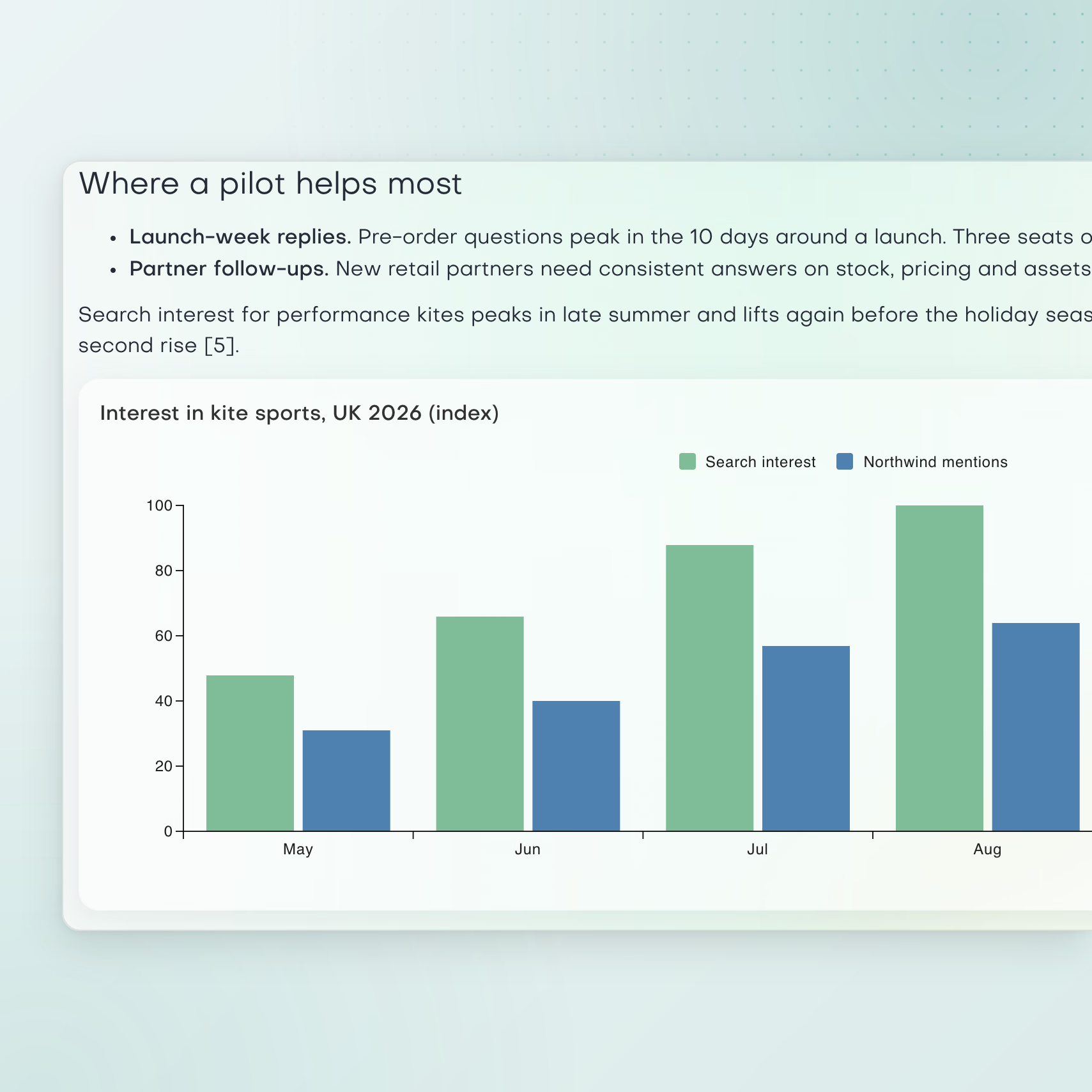
Focus extraction and summaries on the questions that matter to your work. Answers can include charts and tables, and the research stays in the chat, where you can keep asking until the picture is clear.
Replies carry numbered citations and a source list. Research aims to back key claims with two independent sources where possible and flags claims that rest on one. Check the original before you decide.
A practical starting point

These assistants give my team and me what no generic AI can: real strategic clarity and practical execution. It’s like having a digital strategy consultancy and content agency.
Clear answers
Research uses public web pages. It reads public pages at known addresses and parts of company websites. Some sites block access, and each task reads a limited number of pages, so it may not cover every page of a large site.
Open Assistant chat, type / and pick the research skill. Ask a focused question and add the website or pages to read. The assistant pulls out what matters and sums it up with sources. Answers can include charts and tables.
Yes. Each reply has numbered citations in the text and a list of sources. Research tries to back key claims with two independent sources where possible, and it flags claims that rest on one source. Open the original page before you make a business decision.
Yes. Ask in your own language and the reply comes back in that language. The numbered citations still point to the original pages, so you can check each source whatever language it is in.
You can use AI research for questions about companies and markets. For example, learn what a prospect sells before a call, compare the offers in a market or gather facts before you choose an audience. Then use the cited findings in your next decision.
Ask research about the account and its market before the call. The reply has numbered citations and a source list, and the researcher flags claims that rest on one source, so you know what to check. Keep your notes on the contact's record in the CRM. For the follow-up, Smartbox writes from the email thread, its recipients and your brand voice.
Research answers a question from public pages, with sources. Finding leads is a separate step. Find fresh leads in the CRM looks for people in the roles you choose at up to 10 named companies, and saves them as contacts. Research first to pick your targets, then find leads at them.
No. Research reads public pages that anyone can open. It does not sign in to LinkedIn to collect data from behind a login. Finding a source and reading a public page are separate steps.
For more context, read GTM software landscape: AI platforms compared. To see how other tools approach this work, compare web research tools.
Your next chapter
Ask a focused question, add the pages to read and check the citations before you decide.