Your memory
Your memory holds your role, your preferences and how you like work delivered. It comes with you into every chat you start, with any assistant, and stays personal to you.

Assistants that remember
Agent memory keeps the short facts you share about yourself, your projects and your company, and brings them into later chats. Tell the assistants to remember, correct or forget something in plain words.
In any chat
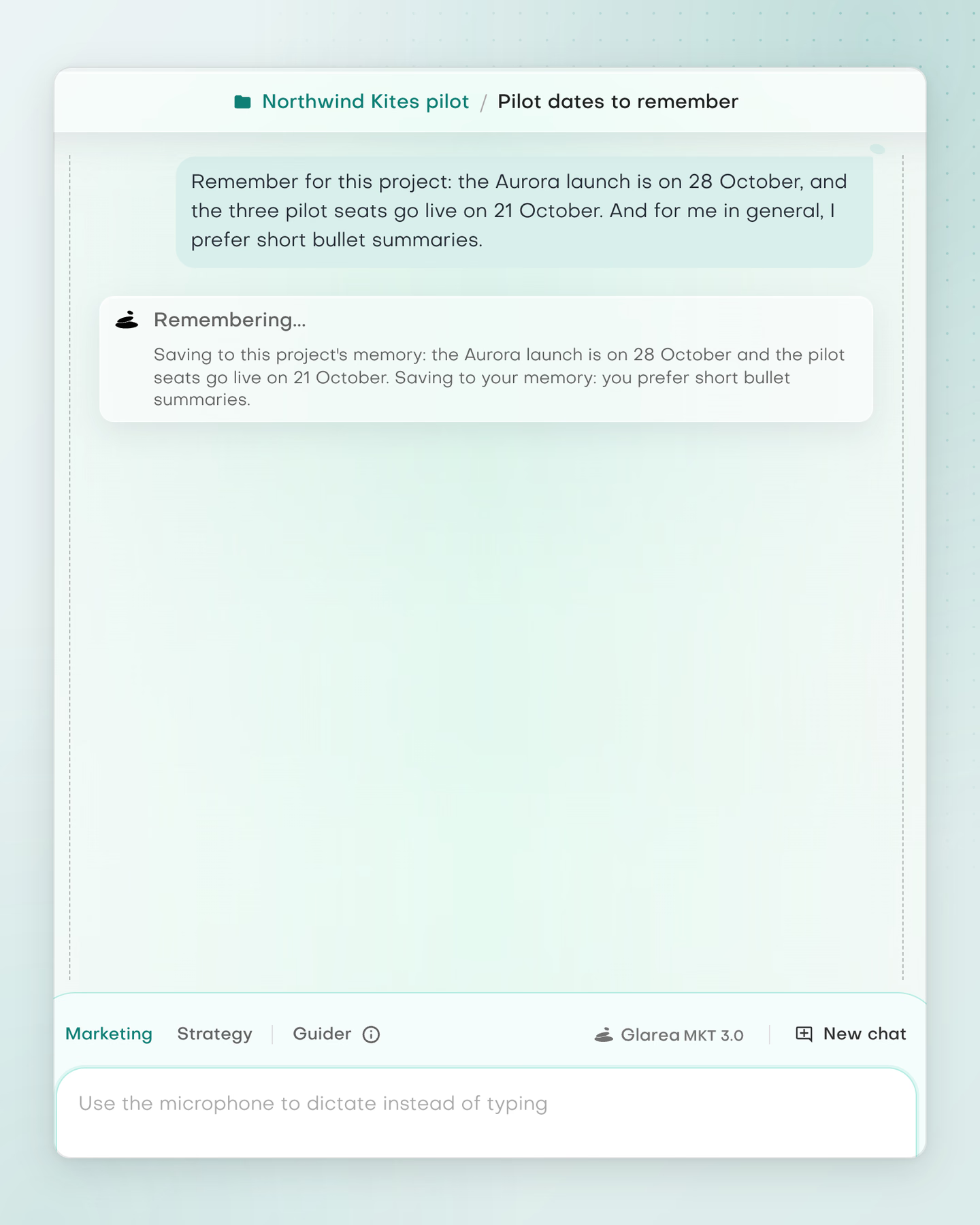
State a lasting fact and the assistant saves it, then tells you what it kept and at which level.
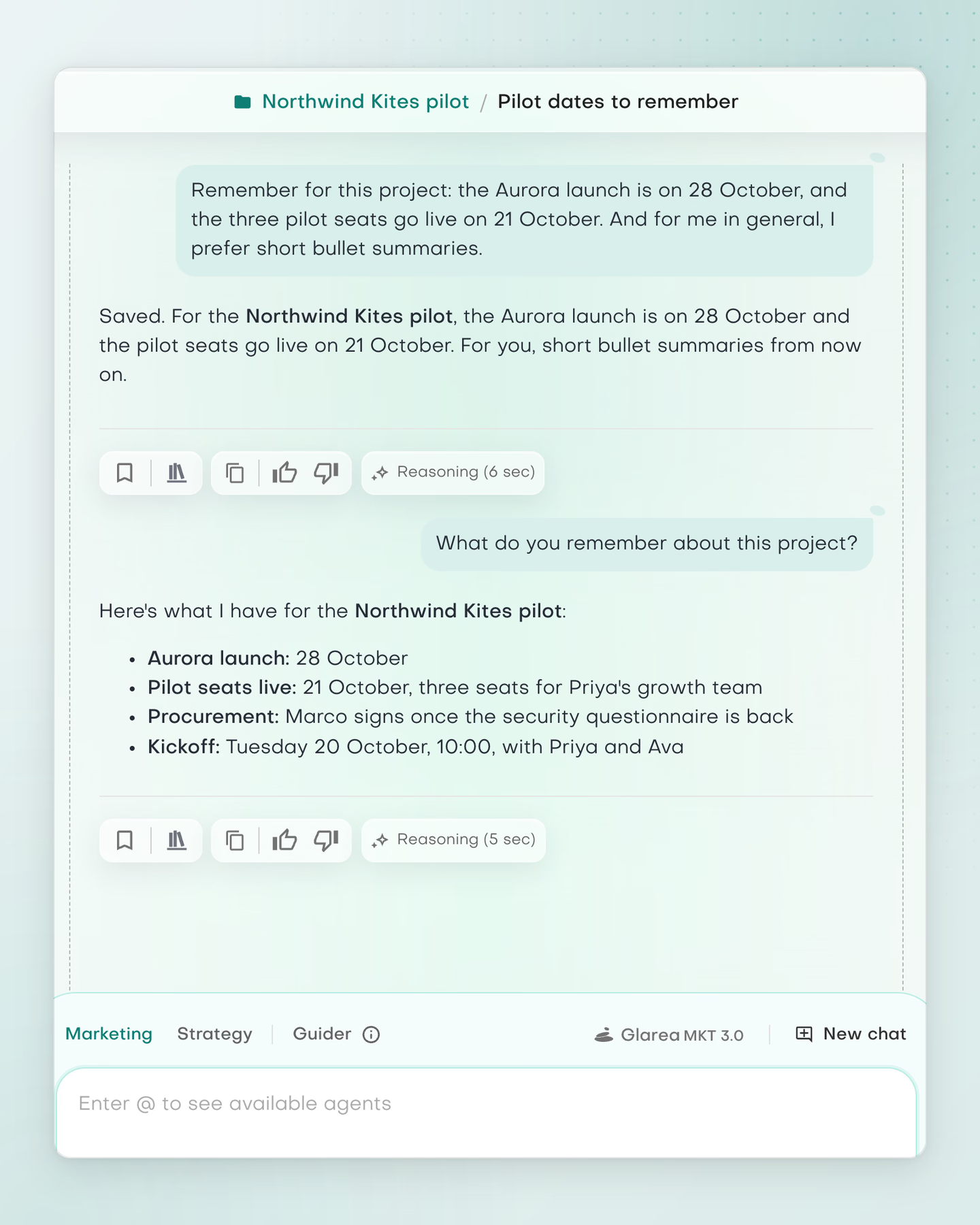
Ask in any chat in the project. Project memory appears only in chats filed under that project.
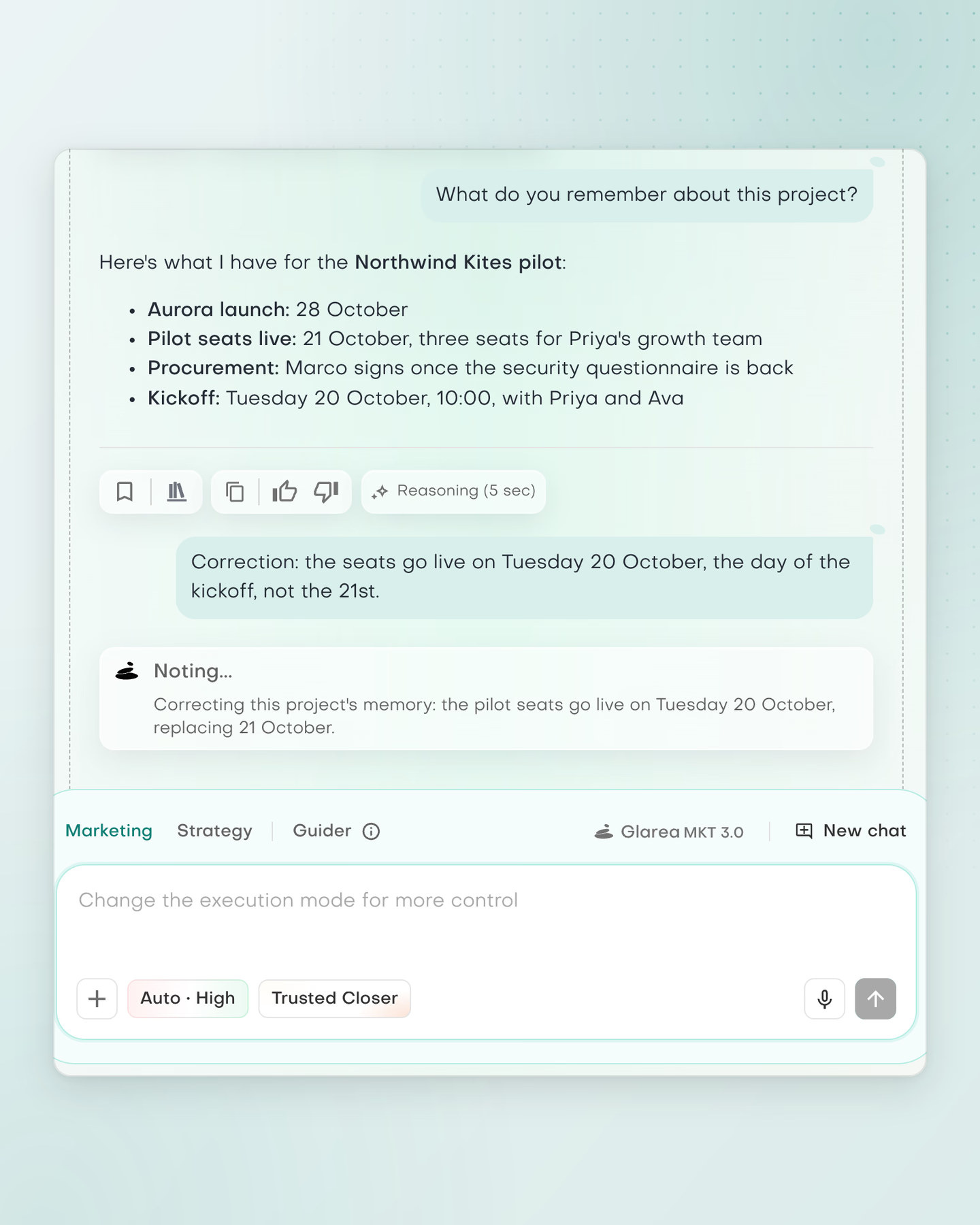
Put a fact right, or ask the assistant to forget one, in plain words. It notes the change at the right level.
What you can work on
Your memory holds your role, your preferences and how you like work delivered. It comes with you into every chat you start, with any assistant, and stays personal to you.
Project memory holds the goals, audience, timelines and decisions you state in a project's chats. It applies only in chats filed under that project, and projects are private to their owner.
Company memory holds your positioning, offerings, ideal customers, competitors and policies. It is shared with everyone in your workspace, so a colleague's assistant starts from the same facts.
In your hands
Memory works the same way in the Marketing assistant, the Strategy assistant and the Guider, and it stays inside your workspace.
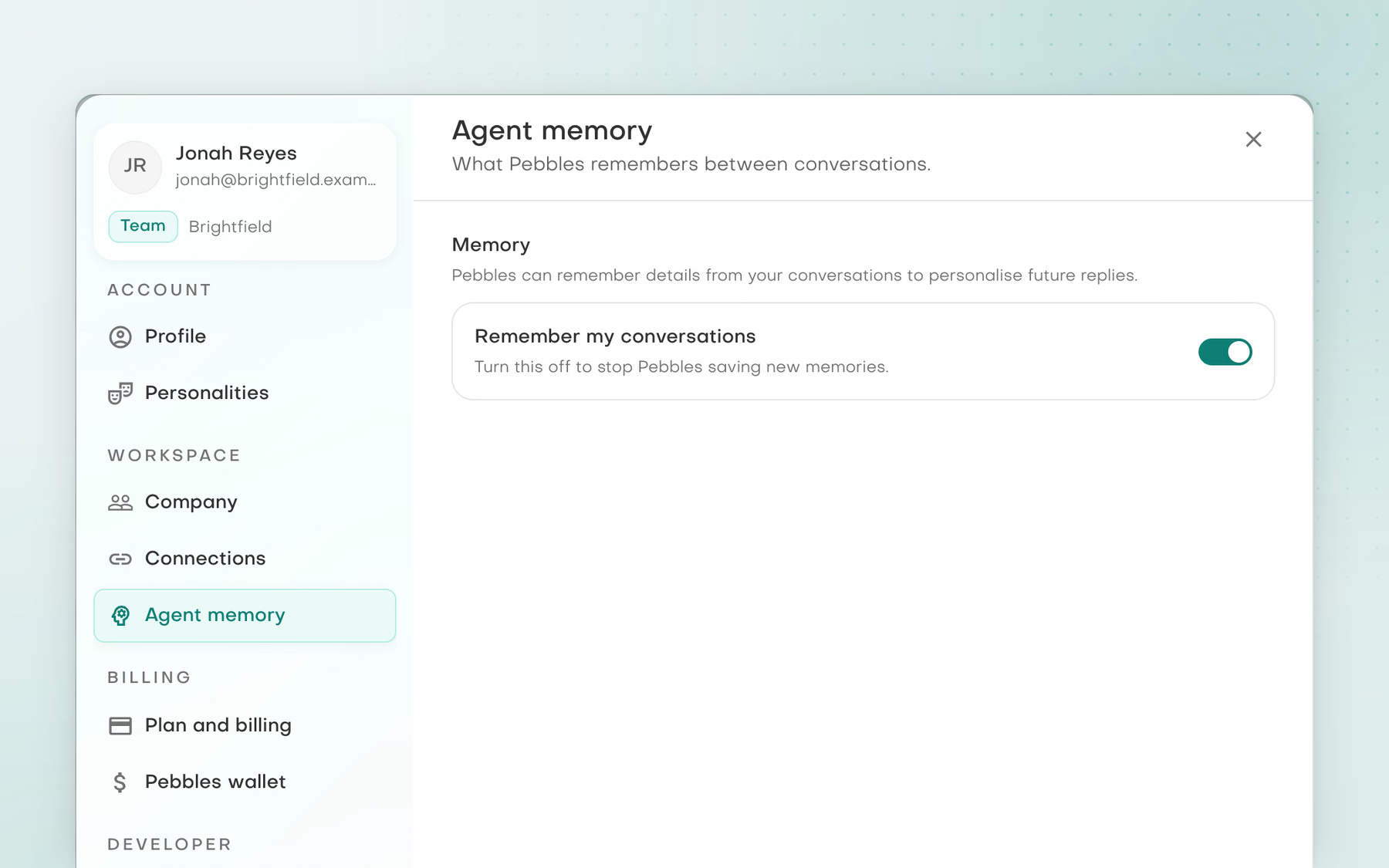
One switch in Settings, on by default. Turn it off to stop new memories being saved.
After saving, correcting or forgetting a fact, the assistant tells you in a few words, so you can put it right straight away.
The Marketing assistant, the Strategy assistant and the Guider all read and save memories while Remember my conversations is on, which it is by default.
Your memories stay inside your Pebbles Ai workspace. Company memory reaches everyone in your workspace, while Your memory and Project memory stay yours.
A practical starting point


It meets our finance compliance needs with secure partitioning and no cross-training. The AI boosts our team output; feels like it was built just for us.
Clear answers
Agent memory remembers short, lasting facts you state in a chat. That includes your role and preferences, a project's goals and decisions, and facts about your company, such as its offerings and ideal customers. It does not copy documents, CRM records, search results or drafts.
Your memory, Project memory and Company memory are the three levels of Agent memory. Your memory holds your role and preferences and stays personal to you. Project memory holds a project's goals and decisions and is used only in that project's chats. Company memory holds facts about your company and is shared with your workspace.
No. It keeps short facts that you state or confirm, and it decides what is worth keeping as it works. So not every detail of a chat is saved. Each time it saves something, it tells you in a few words what it kept.
Yes. Facts saved as Company memory reach the assistants of everyone in your workspace, so a colleague's assistant starts from the same facts. Your memory stays personal to you, and Project memory stays with the project's owner.
Ask the assistant in any chat. For example, type “What do you remember about this project?” The assistant tells you what it has kept. Then you can correct or forget anything that is wrong.
Ask in plain words in any chat. For example, say “The pilot seats go live on 20 October, not the 21st” or “Forget that”. The assistant corrects or forgets the fact and tells you what changed.
Yes. Memory is on by default, on every plan, for the Marketing and Strategy assistants and the Guider. Switch off Remember my conversations in Settings, under Agent memory. The assistants then stop reading and saving memories. The switch is set per person.
Your memories stay inside your own secured tenant. Pebbles Ai runs on Tenant-Isolated AI, so every business keeps its own data, memory and assistants, and no data crosses between tenants. Company memory reaches only the assistants of people in your workspace, and Project memory is used only in that project's chats. Memory is context the assistants read, never training data: no memory trains a model, and the AI model itself does not change.
For more context, read Why company context matters for AI work. To see how other tools approach this work, compare AI memory and meeting notes tools.
Your next chapter
The assistants bring what you tell them into later chats. Correct or forget anything in plain words.