
Pebbles Ai for Marketing teams
Your marketing week,
with GTM firepower
Turn one brief into an on-brand campaign. Every draft starts from your company context, and nothing ships without review.
1-month free trial. No card needed on Pro.

Pick a role
Whose week are we looking at?
NovemberNov 2026
12:00Mon 9
Tue 10
Wed 11
Thu 12
Fri 13





- CASA II
- Microsoft 365
- GDPR
- SOC 2 Type II Pending
Monday, 09:00
Research a market or competitor set before a positioning decision
Starts when A new segment, launch or campaign needs evidence about buyers, competitors or the market.
With Pebbles Ai
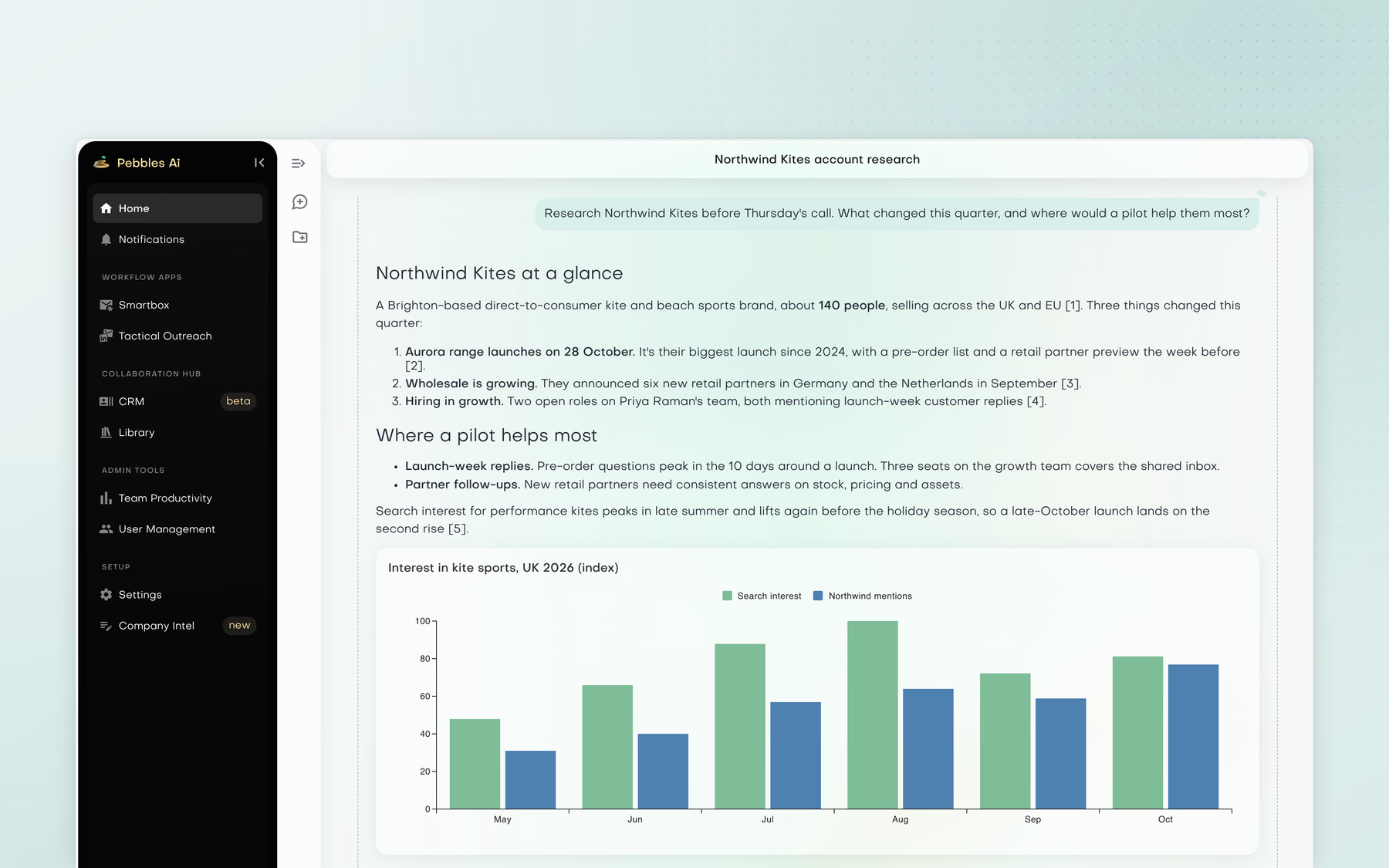
- Use Research & analysis to read public pages around a focused question.
- Get findings back with numbered citations and a source list, with charts and tables where they help.
- Ask the Strategy assistant to turn the work into a document, spreadsheet or slide deck.
Outcome
A research pack whose key claims can be checked before the team makes the positioning decision.
Without Pebbles Ai
- Search Google and competitor sites.Collecting evidence takes most of the time.
- Copy findings into a spreadsheet.Links and quotes are copied by hand.
- Ask a generic AI to summarise.The summary drops the sources.
- Check which claim came from where.The source trail is rebuilt before the decision.
Where it hurts
The team spends time collecting evidence and then has to re-check which claims came from where.
Tuesday, 11:00
Turn research into a launch plan
Starts when The research is done and the marketer needs a sequence of decisions and actions for a launch.
With Pebbles Ai
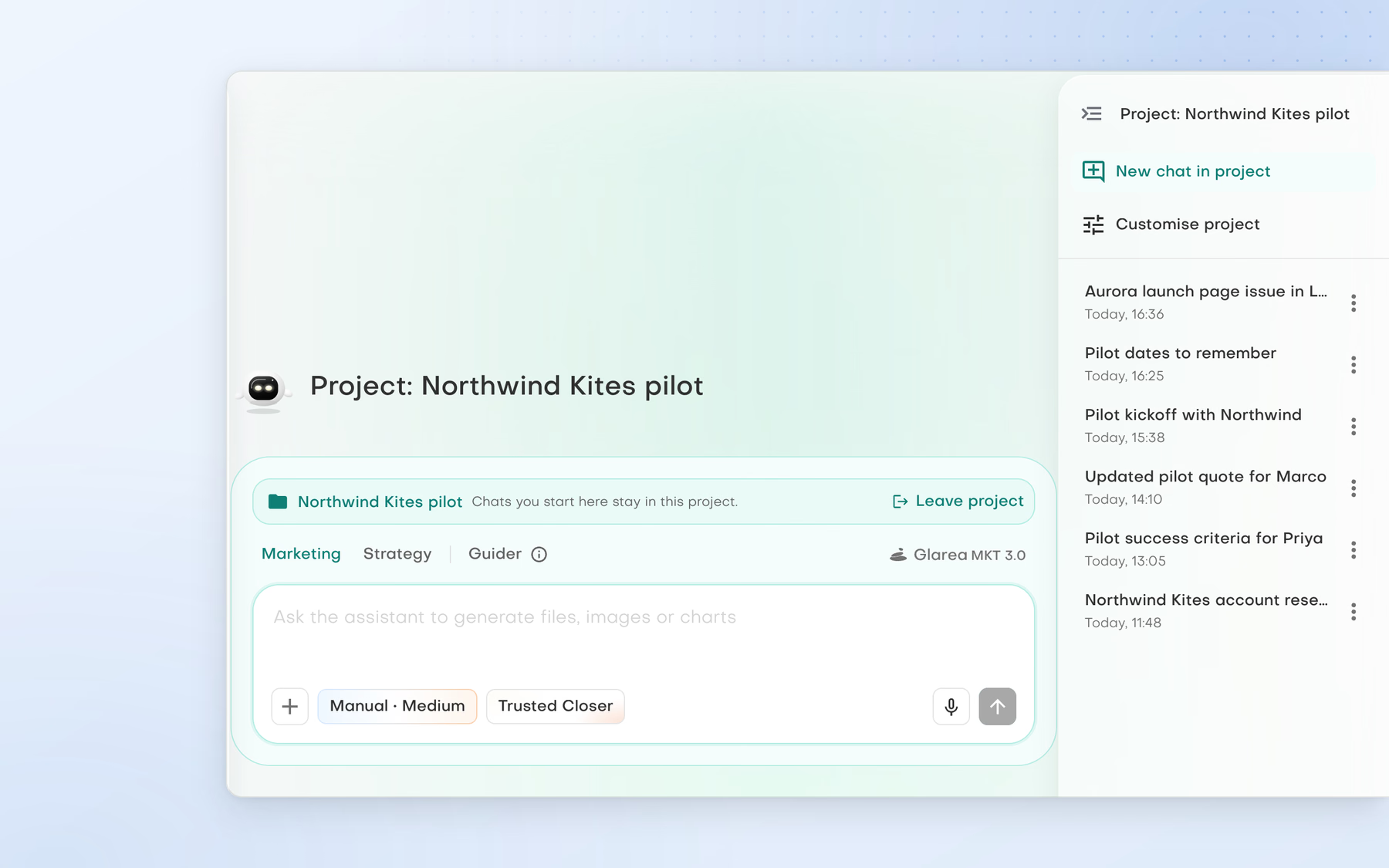
- Keep the work in an AI workspace project.
- Shape the plan with the Strategy assistant and inspect its steps and dependencies.
- Keep lasting project facts in Project memory.
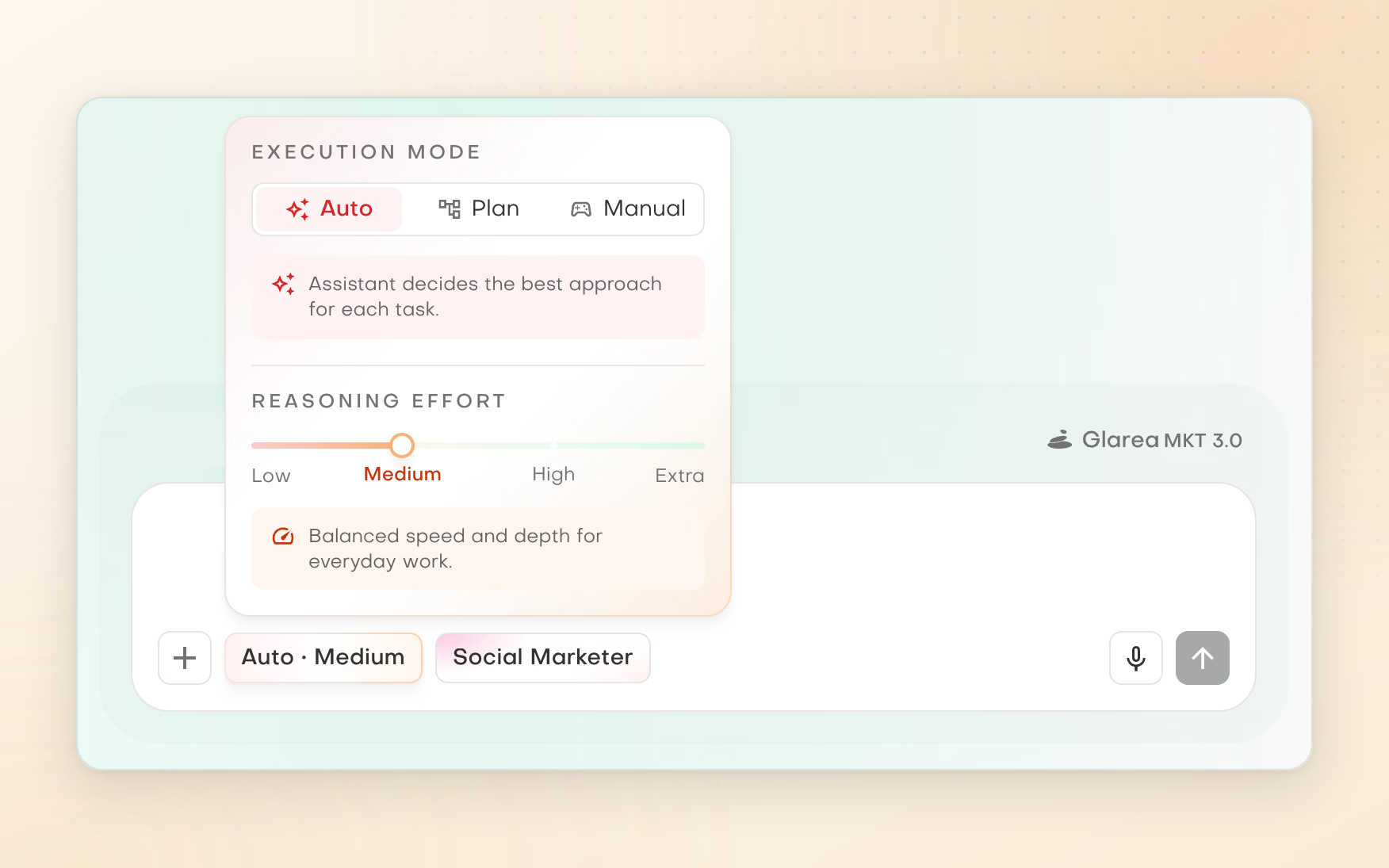
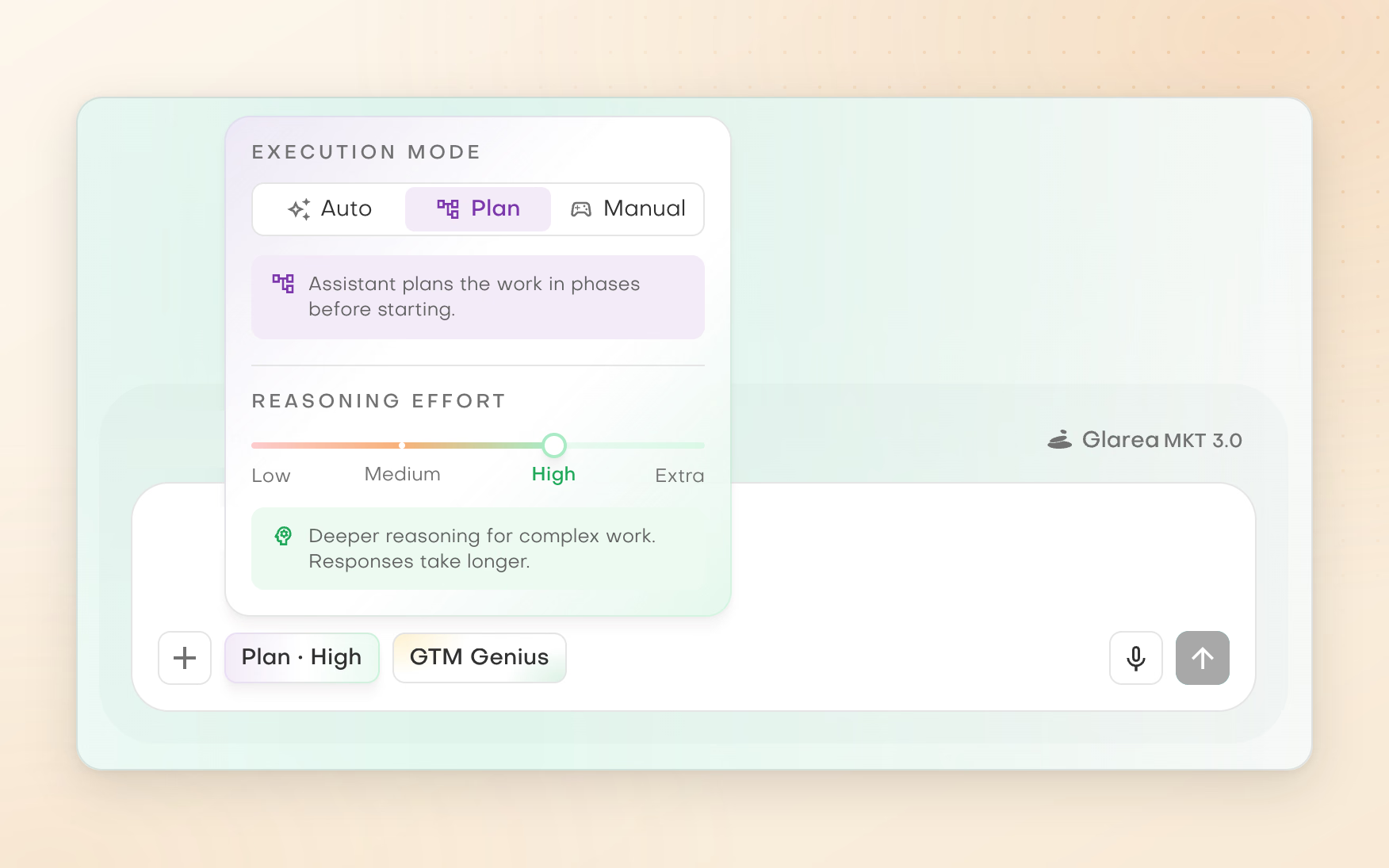
- Choose Manual, Plan or Auto for actions that reach outside the workspace.
Outcome
A launch plan connected to the research and project context, with the execution controls visible before anything runs.
Without Pebbles Ai
- Move the research into a planning doc or project tool.Evidence and plan become separate artefacts.
- Create a task list.Tasks lose the reasoning behind them.
- Brief an AI separately on the same context.The same briefing, again.
- Update the plan as assumptions change.Every change means another round of briefing.
Where it hurts
Evidence, decisions and execution steps become separate artefacts and need repeated briefing.
Wednesday, 14:00
Build a campaign from one brief
Starts when A launch, a nurture initiative or an outbound campaign needs a coherent set of messages.
With Pebbles Ai
- Work inside a project with the Marketing assistant, with Company Intel as the context.
- Use Outreach content for email or LinkedIn, a single touch or up to seven.
- Generate supporting images in the chat where they help.
- Save email outputs as mailbox drafts for review.
Outcome
A connected campaign draft that stays closer to the original brief and brand context.
Without Pebbles Ai
- Write a brief in Notion.The brief stays behind as the work moves on.
- Draft copy in a generic AI tool.The AI does not know your company or voice.
- Make the visuals elsewhere.Another tool, another copy of the brief.
- Copy messages into email and LinkedIn tools and review them one by one.The campaign pieces drift apart.
Where it hurts
The brief, company context, voice and campaign pieces drift apart as the work moves between tools.
Thursday, 10:00
Evaluate a new market, segment or pilot
Starts when Leadership is considering a new customer segment, geography, offer or strategic pilot.
With Pebbles Ai
- Ask the Strategy assistant the decision question inside a project.
- Research public sources with numbered citations and inspect the source list.
- Turn the findings into a document, spreadsheet or slide deck for the decision.
Outcome
A clearer, sourced decision brief that leadership can challenge before acting.
Without Pebbles Ai
- Ask advisors and search the web.Opinions arrive without sources.
- Use a generic AI.Answers start without company context.
- Collect notes in a spreadsheet or deck.The evidence trail fragments.
- Re-check the sources before making the call.The decision waits on verification.
Where it hurts
The decision process is slow and the evidence trail is fragmented.
Friday, 15:00
Turn a source page into a stakeholder update
Starts when A weekly launch or status update needs to go to the team from an existing Notion source of truth.
With Pebbles Ai
- Connect approved Notion pages and Slack.
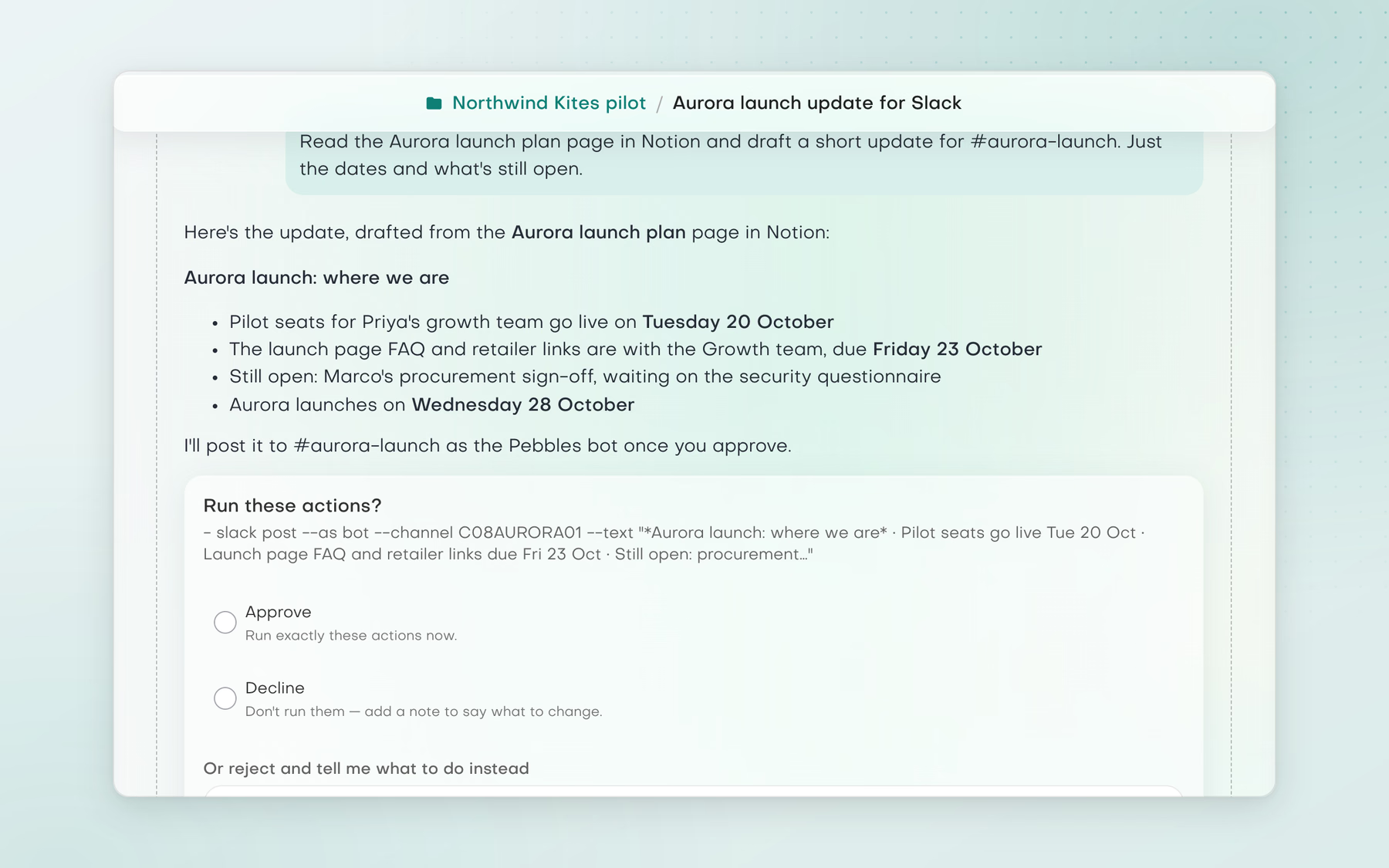
- Ask the Marketing or Strategy assistant to read the shared page and draft a short update.
- Review it, and in Manual mode approve the Slack post before it runs.
Outcome
A faster stakeholder update that still starts from the source page and stays under human review.
Without Pebbles Ai
- Read the source page and decide what changed.Spotting changes by hand, every week.
- Rewrite it for Slack.The update can drift from the source.
- Paste it into the channel.Copy and paste between tools.
- Repeat next week.Routine work that never gets shorter.
Where it hurts
Status updates are repetitive and can drift from the source document.

Works with your stack
Starts where your team already works
- Gmail
Drafts land in your own Gmail, and Smartbox writes replies from the thread for you to review.
- Outlook
The same for Outlook: drafts in your mailbox and replies written from the thread.
- LinkedIn
Outreach content writes LinkedIn messages, and Socialbox keeps the chats in one inbox. You send them yourself.
- Instagram
Socialbox brings Instagram chats into the same inbox as LinkedIn, WhatsApp and Telegram.
- Notion
Assistants read approved Notion pages as the source for plans and updates.
- Slack
Assistants draft updates and post them after you approve, in Manual mode.
 Gmail
 Outlook
 LinkedIn
 Instagram
 Notion
 Slack
Drafts land in your own Gmail, and Smartbox writes replies from the thread for you to review.
Tap a tool to see how it connects. More through supported MCP servers.
Explore all integrations

Precise, relevant, persuasive
“Hands down the most comprehensive, science-backed outbound engine I’ve seen.”


Every team finally aligned
“Pebbles Ai removed the usual chaos from our team workflows.”


Strategy and execution in one
“These assistants give my team and me what no generic AI can: real strategic clarity and practical execution.”


The output of a bigger team
“One marketer and SDR delivers the output of three.”


No more second-guessing emails
“I didn’t realise how much time we were wasting until we switched to Pebbles Ai.”


Pilots with multinationals
“With Pebbles Ai, we secured pilot programmes with several multinationals.”


Compliance without cross-training
“It meets our finance compliance needs with secure partitioning and no cross-training.”


Visibility we never had
“Pebbles Ai gave us visibility we never had.”


Every contribution, in view
“It gives us a clear view of how each person and team is contributing.”
Clear answers
Questions about Pebbles Ai for Product & Growth
Can AI run a competitor analysis with sources?
Yes, from public pages. Research & analysis reads competitor websites and other public sources around a focused question, then returns findings with numbered citations and a source list. It is instructed to back key claims with two independent sources where possible and to flag single-source claims, so check those before you rely on them.
Can AI help plan a product launch?
Yes. Keep the launch in an AI workspace project, shape the plan with the Strategy assistant and inspect its steps and dependencies. The Marketing assistant drafts launch emails and LinkedIn content from Company Intel, with images in the chat where they help. Projects are private to their owner, so share lasting facts through Company memory.
What does a research pack include?
Findings from public pages around a focused question, with numbered citations, a source list, and charts and tables where they help. The Strategy assistant can turn it into a document, spreadsheet or slide deck.
Can AI help with B2B positioning and messaging?
Yes, as research and first drafts for you to judge. Research buyers and competitors with numbered citations, then type / in the chat and pick the Position skill to work through options. An admin can then record the result in Brand voice in Company Intel: Conviction, Audience, Message and Expression. Supported workflows draw on it.
How does a launch plan stay connected to the research?
The research, the plan and the chats that shape it stay in one AI workspace project, and Project memory keeps lasting project facts, so later chats start from the same context.
Can Pebbles Ai post updates to Slack?
Yes, once Notion and Slack are connected. The Marketing or Strategy assistant reads the shared page and drafts a short update, and in Manual mode you approve the Slack post before it runs.
Keep exploring
More solutions
Marketing
Head of Marketing
One brand context behind every campaign
See how it works for Head of MarketingSales
Sales teams
Find the right accounts and keep every deal moving
See solutions for sales teamsLeadership
Leadership
Make GTM decisions from evidence and approve every action
See solutions for leadership
Next week, run it on Pebbles Ai
Working on your own?
Start on Pro
The plan for one person. 1-month free trial, no card needed.
Not sure yet?
Talk it through
Bring a real challenge from your week and see where Pebbles Ai fits.